
As eLearning Manager and Lead Developer, I led the end-to-end strategy, design, and development of more than 100 interactive modules, as well as custom learning programs for key clients. My role spanned establishing scalable pre-production workflows, collaborating with SMEs, managing an in-house developer, overseeing project timelines, and conducting hands-on Storyline development, QA, and SCORM packaging.
The ELC was recognized as one of FETC’s Top EdTech Products of 2024.
Educator Learning Center
Optimized Workflow
From Storyboards to Learning Modules
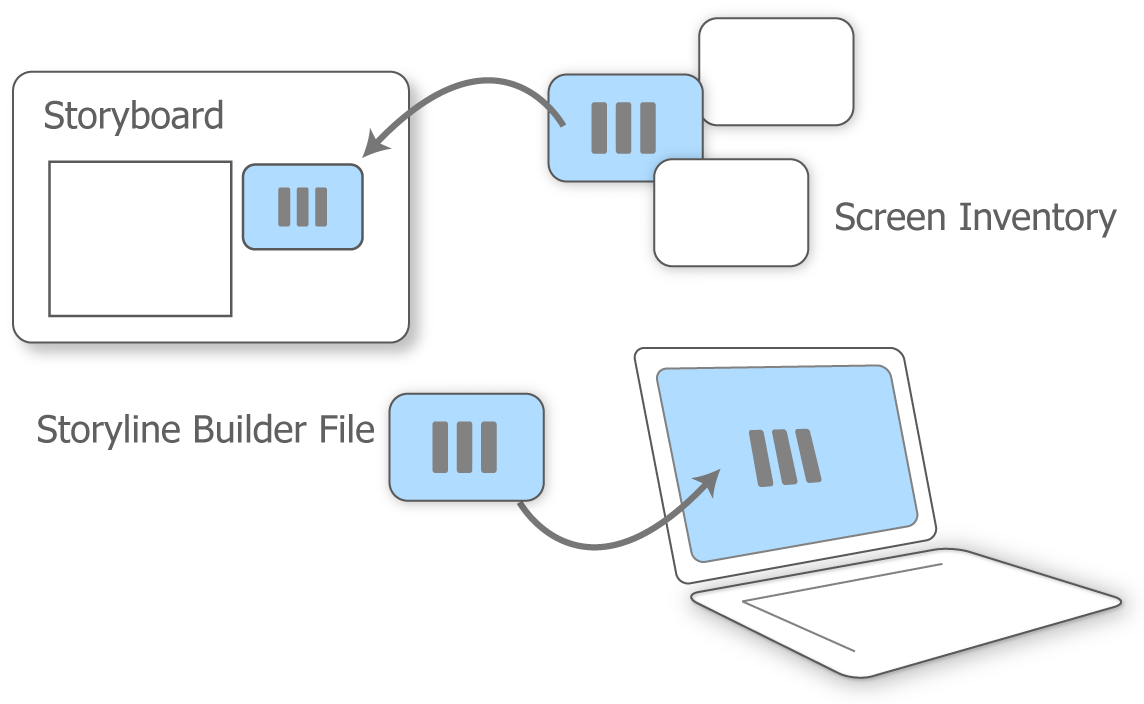
Collaboration & Planning: Instructional designers and SMEs used a custom storyboard template designed explicitly for ELC modules. The template included access to a curated “screen inventory” that helped the team communicate the intended interaction and visual approach for each screen. The screen inventory corresponded to our module Storyline “builder” file - connecting intent to action.
I reviewed storyboards for technical feasibility while also identifying opportunities to strengthen the learning experience through additional screen interactions. Once the storyboard was approved, the project moved into production and development.
Streamlining the Development Cycle
Development Efficiency & Design System: Making the development process as efficient as possible was critical to our ability to rapidly produce a core library of highly interactive, custom-designed learning modules. Although each module was unique, the courses needed to feel like part of a cohesive learning experience. I established a development system that balanced efficiency, consistency, and creative flexibility.
Established master templates and styles that defined the overall “look and feel” of the learning modules and provided a consistent foundation for development.
Created visual design guidelines that established standards for graphics, imagery, typography, and other visual elements. This provided flexibility for each module while maintaining a recognizable visual identity across the learning library.
Developed a reusable Storyline “Builder” file that served as a curated library of prebuilt interactive screens. Each screen included its underlying interactions, triggers, and functionality, allowing complete screens to be imported directly into new modules rather than rebuilt from scratch. Over time, this library became an increasingly valuable development asset, significantly reducing production time while allowing us to build on—and continually expand—our existing investment in custom development.
Project: ELC Learning module - Restorative Practices for Students with Disabilities
Interactive Self-Check
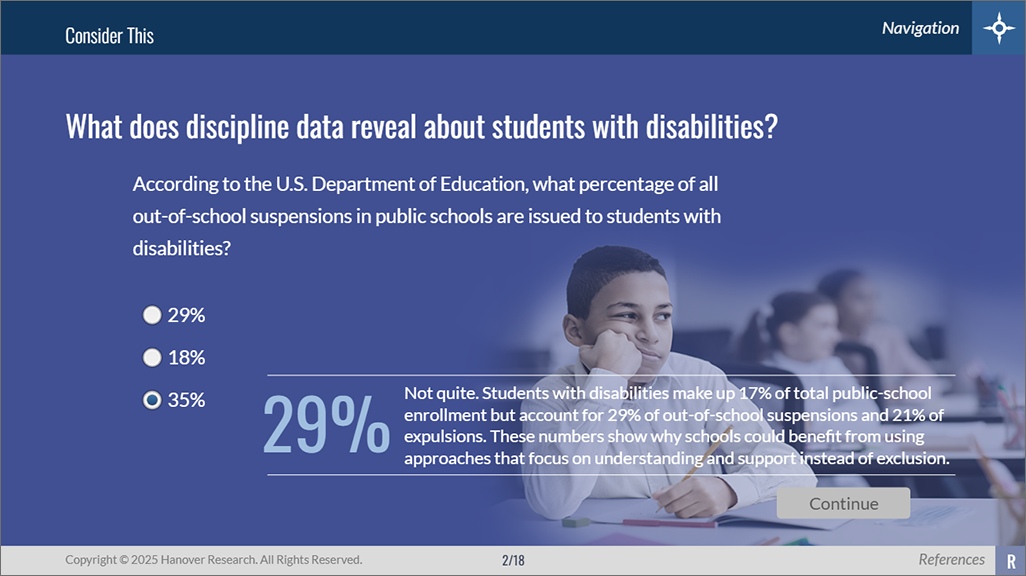
Interactive self-checks in varied formats, reinforced key concepts through immediate learner feedback.
Scenario Screens
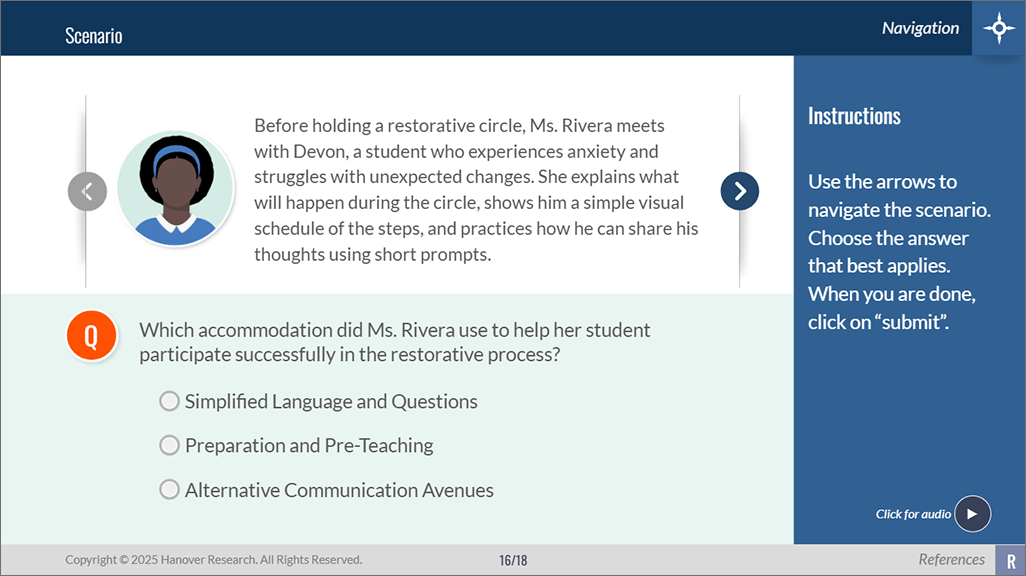
Real-world scenarios helped learners apply concepts in authentic contexts.
Hook / Activator Screen
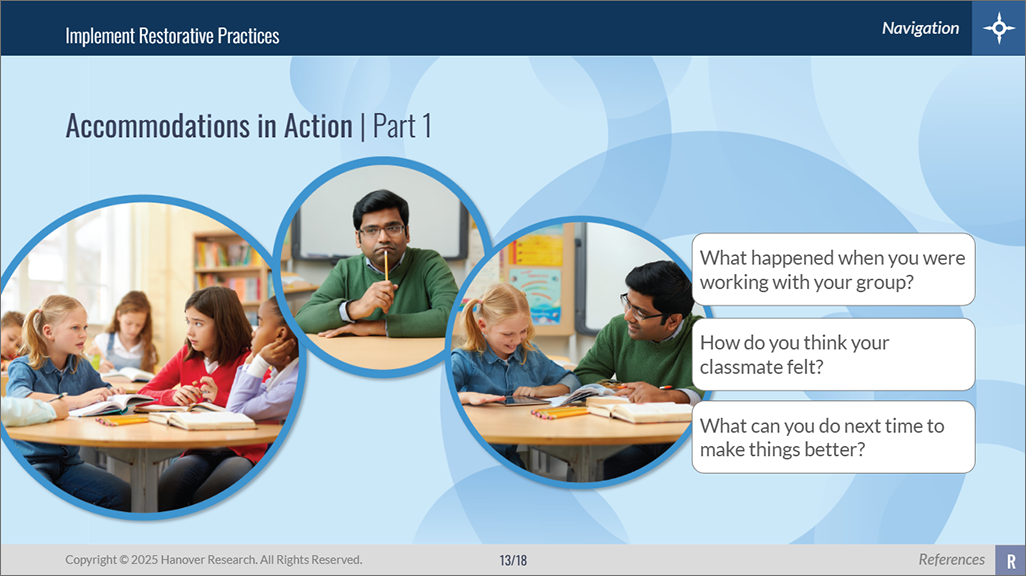
A learner-focused “hook” encouraged reflection and captured attention from the start.
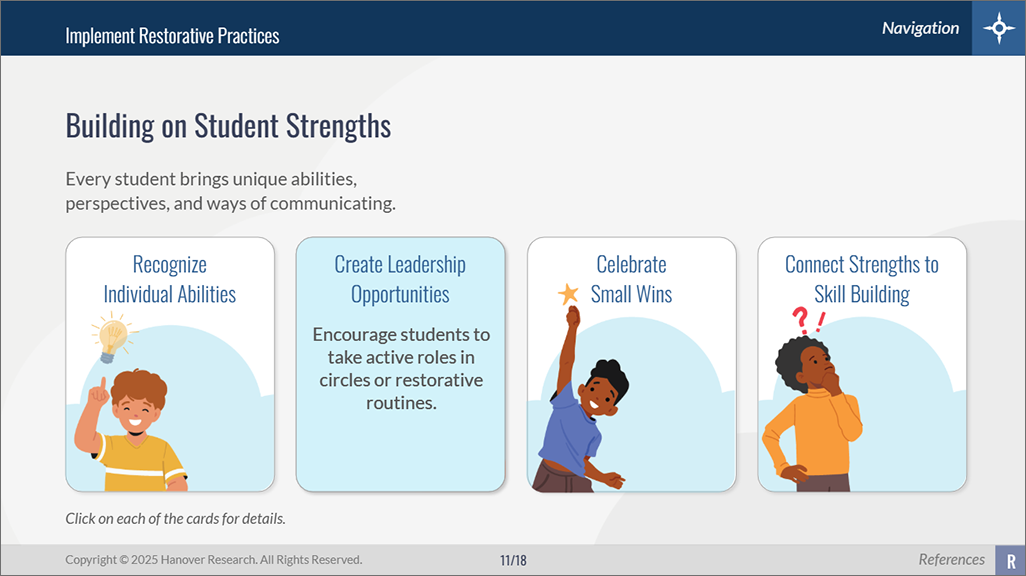
Interactive Engagement Screens
Learners explored content through meaningful interactions designed to increase engagement.

Scripts were recorded in WellSaid, files were edited and sweetened in Adobe Audition, and imported into Storyline for timing and integration.
Narration
Narration was an important and integral part of each learning module — providing context, reinforcing key concepts, and guiding learners through the experience. While our initial modules used professional voice talent, we quickly realized that this approach limited our production capacity. The cost, coordination required for recording, and additional time needed for retakes all added complexity and slowed development. Instead, we vetted and adopted a digital narration solution that allowed us to produce high-quality, consistent narration more efficiently and scale production across the learning library.
LMS Preparation and Publishing
Preparing courses for deployment required meticulous attention to technical specifications and learning tracking requirements. I managed all aspects of LMS preparation: packaging courses as SCORM packages, configuring completion criteria, and ensuring proper communication between courses and the LMS (Academy of Mine). I maintained organized file structures and version control for nearly 100 active modules.

Storyline and RISE modules were published as SCORM files and uploaded to the LMS where I completed a quality assurance pass.
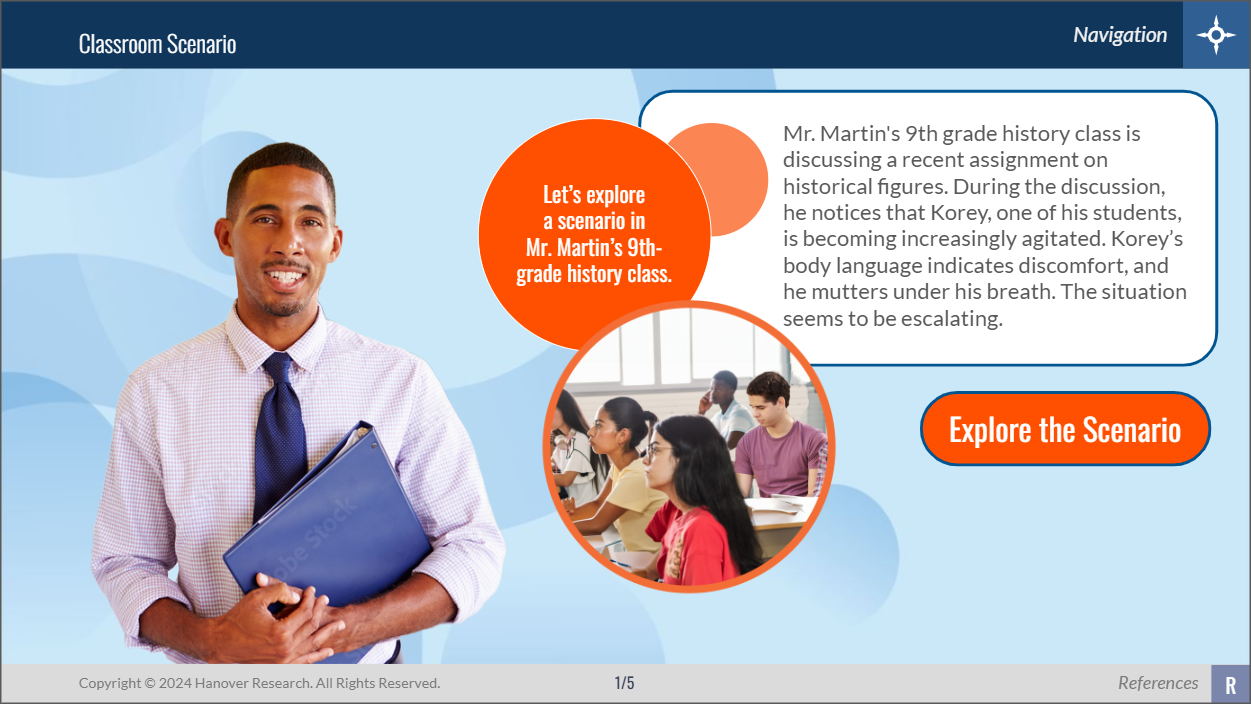
AI Integration & Development
Subject matter experts drove research and content design, while AI-powered tools streamlined media production across the development cycle. Digital audio generation enabled scalable narration, while generative AI features—such as Adobe Firefly in Photoshop—facilitated rapid image customization. To enhance contextual scenarios, specialized AI image generation tools were used to maintain visual consistency for recurring character "actors" across modules.
My Role
Led the design, development, and delivery of a large-scale K-12 professional learning library, partnering with SMEs to transform complex content into engaging digital learning experiences.
Established scalable development processes, templates, and screen inventories that improved efficiency, consistency, and quality across nearly 100 learning modules plus numerous custom projects and other learning assets.
Managed the full course production lifecycle, including instructional design review, multimedia development, quality assurance, and stakeholder feedback.
Developed advanced eLearning solutions in Articulate Storyline using variables, triggers, branching scenarios, custom interactions, and learner-driven experiences.
Produced and customized multimedia assets using Adobe Creative Cloud tools, including graphics, illustrations, audio, video, and interactive screen elements.
Oversaw LMS deployment and content delivery, including SCORM publishing, testing, web-server updates, and distribution of supporting HTML and PDF resources.
Blog: Read more about the end-to-end process that I established to make delivering these modules, consistent, replicable, and compelling. Click here.